
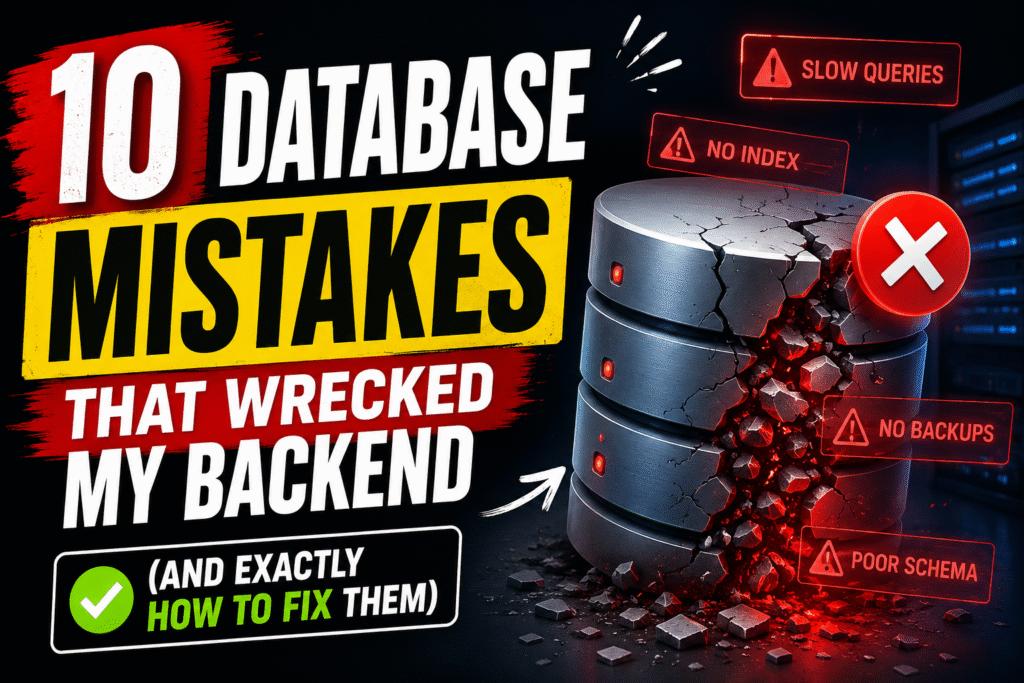
10 Database Mistakes That Wrecked My Backend (And Exactly How to Fix Them)
By Skill Stuff Team · March 10, 2026 · 8 min read
Slow queries, corrupted data, oversold inventory — these are the database errors that cost real time and real money. Here’s what I learned the hard way.
Who this is for: Backend developers using PostgreSQL, MySQL, SQL Server, MongoDB, or any relational database. These mistakes show up at every level — and fixing them will make your systems faster and more reliable overnight.
Databases don’t fail with a bang. They fail quietly — a query that used to run in 10ms now takes 3 seconds. Data that should be consistent isn’t. A feature works fine until it gets real traffic, and then it falls apart.
Most of these problems come from design decisions made early on. Here are the ten mistakes I made, and what I do differently now.
1. Not Adding Indexes — Or Adding Too Many
Indexes are the fastest way to speed up a slow database — and also one of the easiest tools to misuse.
Without an index, your database has to scan every single row to find a match. On a million-row table, that’s a million checks for one result:
-- No index: database scans every row
SELECT * FROM users WHERE email = 'john@example.com';
With an index, it jumps directly to the answer — O(log n) instead of O(n). For big tables, this is the difference between milliseconds and seconds.
But here’s the other trap: indexing every column. Every index you add slows down writes — inserts, updates, and deletes all have to update each index. More indexes also means more storage and more maintenance work for the database engine.
✅ Do this: Create indexes on columns you filter by (WHERE), join on (JOIN), sort by (ORDER BY), and foreign keys. Skip low-selectivity columns like boolean flags — they’re rarely worth it. Always run EXPLAIN before and after to confirm the index is actually used.
2. Using SELECT * in Production
It’s the laziest query to write, and one of the most expensive to run at scale.
-- Pulls every column, even ones you don't need
SELECT * FROM orders WHERE user_id = 42;
If your table has JSON blobs, large text fields, or image metadata, you’re fetching all of it — and paying for the network transfer and serialization cost every time.
-- Only fetch what you actually use
SELECT id, total_amount, status
FROM orders
WHERE user_id = 42;
In a high-traffic API, this adds up fast. Name your columns explicitly — it’s a small habit with a measurable impact.
3. Skipping Transactions for Atomic Operations
If two operations must succeed or fail together, they need to be in a transaction. No exceptions.
Imagine a money transfer: you deduct from one account and add to another. Without a transaction, if the second query crashes, the money just disappears from the system:
-- Dangerous: if the INSERT fails, balance is still reduced
UPDATE accounts SET balance = balance - 100 WHERE id = 1;
INSERT INTO transactions (...) VALUES (...);
-- Safe: both succeed or both roll back
BEGIN;
  UPDATE accounts SET balance = balance - 100 WHERE id = 1;
  INSERT INTO transactions (...) VALUES (...);
COMMIT;
⚠️ Watch out: In any financial, inventory, or user-account workflow — if two queries are logically linked, wrap them in a transaction. Partial writes are worse than failed writes.
4. Ignoring Proper Schema Design
Bad schema design is a tax you pay forever. Every query becomes harder. Every feature takes longer to build.
The classic mistake is stuffing multiple values into a single column:
-- Terrible: how do you query users with a specific role?
users: id | name | roles
       1  | Ada  | "admin,editor,viewer"
Instead, model relationships properly with a join table:
users       →  user_roles        →  roles
(id, name)     (user_id, role_id)   (id, name)
Always use foreign key constraints. Use clear, consistent naming. If the data has a real relationship, model it explicitly — don’t paper over it with comma-separated strings or JSON hacks.
5. Over-Normalizing Everything
Normalization is good. Obsessive normalization turns a simple query into a 6-way join:
SELECT ...
FROM orders
JOIN order_items     ON ...
JOIN item_details    ON ...
JOIN item_categories ON ...
JOIN item_tags       ON ...
The rule to follow: normalize for data integrity, but denormalize strategically for read performance. A summary table that duplicates a few fields can eliminate painful joins on your most-read queries — and that’s often the right trade-off.
6. Never Reading Execution Plans
A query can look totally reasonable and still be doing a full table scan behind the scenes. The only way to know is to look at the execution plan.
EXPLAIN ANALYZE
SELECT * FROM users WHERE email = 'john@example.com';
If you see Seq Scan on users, that means the database is reading every row. Red flag. Run this on your slowest queries before you touch anything else. The plan tells you exactly what’s happening — where the time is going, whether your indexes are being used, and where the estimates are wrong.
7. The N+1 Query Problem
This one is extremely common in ORM-heavy codebases, and it’s brutal at scale.
// 1 query for users + 1 query per user = 101 total queries
const users = await db.users.findAll();

for (const user of users) {
  const orders = await db.orders.findAll({ userId: user.id });
}
With 100 users, that’s 101 database queries instead of 1. Fix it with a JOIN or your ORM’s eager loading:
-- One query. Done.
SELECT users.*, orders.*
FROM users
LEFT JOIN orders ON users.id = orders.user_id;
The performance difference in production is enormous. Audit your ORM queries — they’re likely hiding this from you.
8. Storing Everything in JSON Columns
JSON columns are convenient and flexible. That’s exactly why they get overused.
{
  "subscription": { ... },
  "preferences": { ... },
  "billing_address": { ... }
}
JSON fields are hard to index properly, can’t be easily constrained, and make migrations messy. If you end up filtering on a JSON field regularly, you’ve created a performance problem.
✅ Simple rule: Use JSON for optional metadata you rarely query. Use real columns for anything business-critical, frequently filtered, or part of a relationship. If you’re writing WHERE metadata->>'email' =, it should probably be a column.
9. Having Backups You’ve Never Tested
Lots of teams have backups. Almost nobody tests restoring from them.
A backup you’ve never restored is not a backup — it’s a hope. The first time you discover your backup is corrupted, incomplete, or misconfigured should not be the day you actually need it.
⚠️ Minimum backup hygiene: Daily automated backups. Transaction log backups. Offsite storage. And a restore drill at least once a quarter. If you’ve never actually run a restore, do it this week.
10. Ignoring Concurrency and Isolation Levels
This is the trickiest mistake because it only shows up under load — when multiple users hit the same data at the same time.
Classic example: two users try to buy the last item in stock simultaneously. Both check the inventory, both see quantity = 1, both proceed. You’ve now oversold.
-- Both users read stock = 1. Both buy. You oversell.
SELECT stock FROM products WHERE id = 1;
-- Lock the row during the transaction
SELECT stock FROM products
WHERE id = 1
FOR UPDATE;
The fix is row-level locking with FOR UPDATE, or optimistic locking with a version column. Either way, you need to understand what isolation level your database uses by default — most are Read Committed, which allows these race conditions.
Your Database Audit Checklist
Go through this list right now:
- [ ] Run
EXPLAIN ANALYZEon your 3 slowest queries - [ ] Audit indexes — remove unused ones, add missing ones on
JOIN/WHEREcolumns - [ ] Remove
SELECT *from production API queries - [ ] Check your ORM code for N+1 query patterns
- [ ] Wrap any multi-step writes in transactions
- [ ] Test a database restore — actually run it
- [ ] Check your default isolation level and whether it matches your needs
The Bottom Line
Every backend system eventually becomes a database problem. The teams that ship fast and stay reliable are the ones who understood these fundamentals early — not the ones who learned the most frameworks.
Pick one item from the checklist above and fix it today. That’s the best use of the next 30 minutes.
Follow Skill Stuff for more practical backend engineering deep dives.